LLIMAGER Companion App — Overview
The LLIMAGER Companion app is the field registration and verification tool for images created in LLIMAGER. It allows investigators and authorized personnel to instantly register or verify the integrity of evidence by scanning a QR code of any LLIMAGER acquisition log, confirming the blockchain record and chain of custody on the spot.
To use the LLIMAGER Companion App, you must first download it from the app store and register as a user on the LLSmartVerify™ Portal (llsmartverify.llimager.com).
After installing and launching the App, you authenticate using the credentials obtained from the LLSmartVerify portal. If you authenticate as a Standard user (LLIMAGER Licensee), you can register your own transactions and verify others. If you authenticate as a Third-Party user, you cannot register transactions but can verify any transaction.
In the image below, you can see the login screen to the left, and after authenticating there, the QR scan screen will appear.
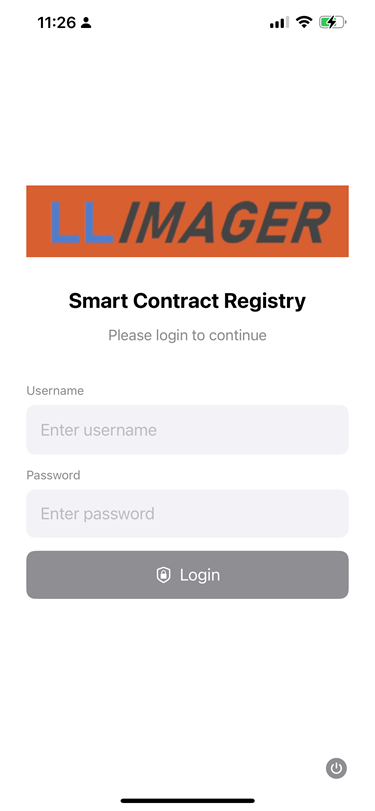
Login Screen (Light Mode)
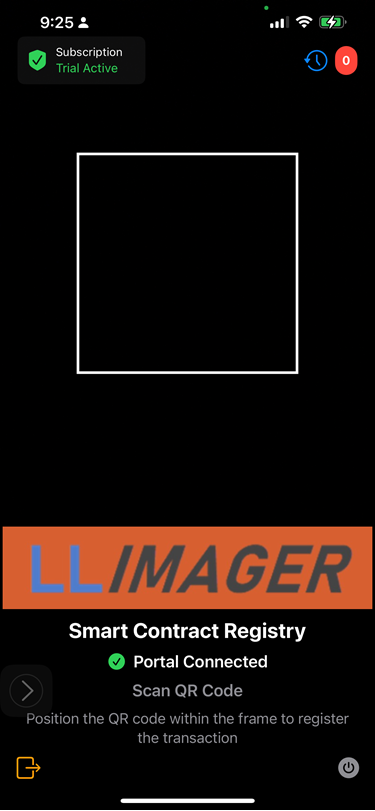
Scan Screen (Dark Mode)
Key Features
- Instant QR code scanning for evidence registration and verification
- Real-time blockchain hash validation
- GPS location capture per scan (toggle per transaction)
- Offline-friendly — cached verification results available without connectivity
- Works with any LLIMAGER-generated PDF-log
Video Overview
Registering a Transaction
Verifying a Transaction
Sections in This Manual
| Section | Description |
|---|---|
| Installation & First Launch | Download, setup, and login |
| Registering an Evidence | Full scanning workflow |
| Verifying an Evidence | Understanding verification data |
| Offline Behavior | How the app works without connectivity |