Blockchain Transaction Details
Overview
Each registered evidence document has an associated blockchain transaction. The portal provides a detailed view of the on-chain record for full transparency and independent auditability.
Viewing Transaction Details
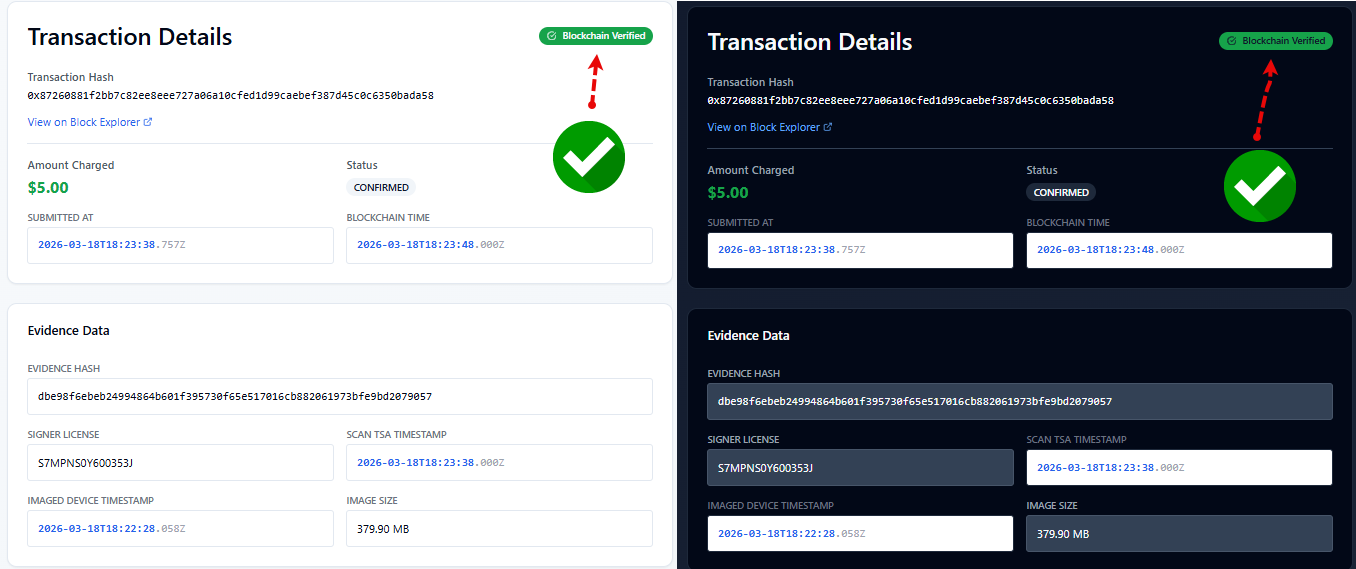
From any evidence record, click View Details to see:
| Field | Description |
|---|---|
| Transaction ID | The unique blockchain transaction hash |
| Network | Arbitrum |
| Amount Charged | Transaction costs |
| Submission Timestamp | UTC time of submission |
| Blockchain Timestamp | UTC time of anchoring to blockchain |
| Evidence Hash | SHA-256 hash of the evidence data |
| Signer License | LLIMAGER serial license used |
| Evidence Timestamp | UTC time when image was completed |
| Scan Timestamp | TSA UTC time when QR was Scanned |
| Image Size | Size of Evidence Image |
| Device Serial | Imaged Device Serial Number |
| OS Version | OS used by Imaged Device |
| Geo Location Data | Longitude, Latitude and Accuracy |
🔍 Reviewing a transaction
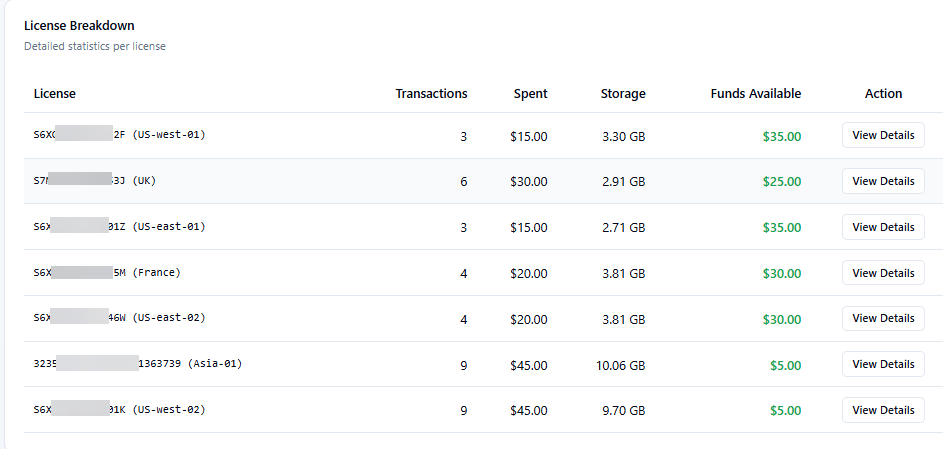
In the Dashboard, scroll down until you see the "License Breakdown" card and select the corresponding license by clicking View Details.
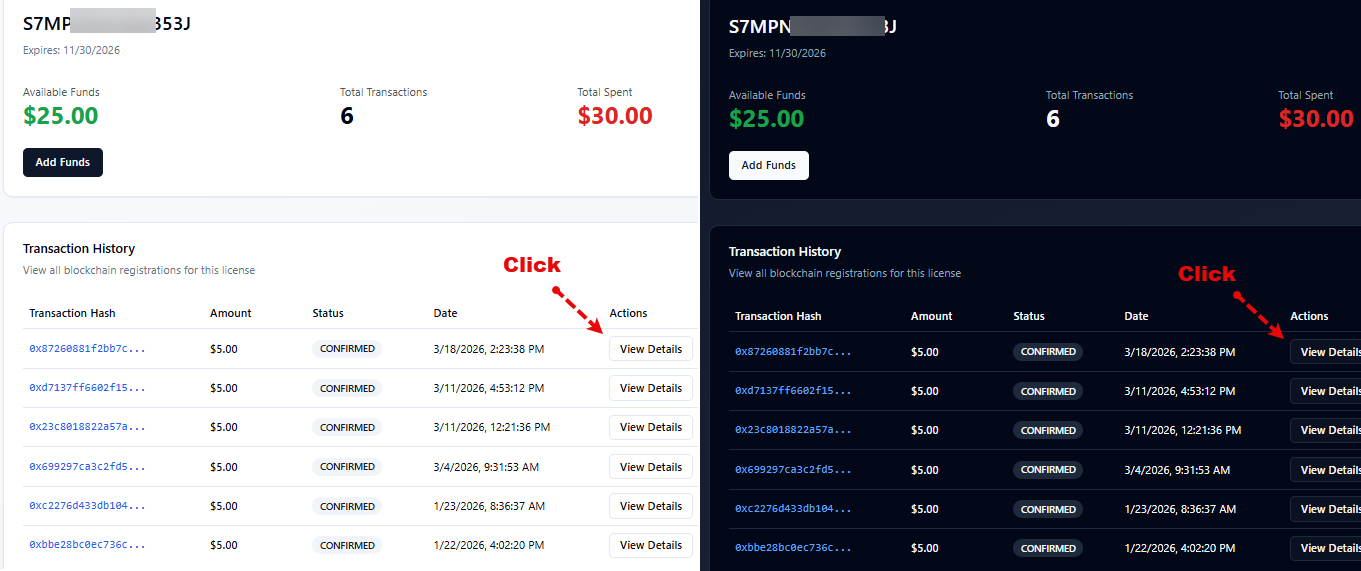
Identify the transaction you want to verify and click View Details.
On this page, you can see all the details for that particular transaction. Clicking the "View on Block Explorer" link allows you to view the transaction directly on the blockchain network.
Registration Logic
LLSmartVerify Registration on Blockchain:
- Once the image is completed, the forensic agent uses the LLIMAGER Conpanion App to read the QR code in the PDF Log
- The LLIMAGER Conpanion App will register the transaction (anchor the evidence to the blockchain)
- Once registered, the Smart Contract at the Blockchain will be populated with the Image Timestamp, the Evidence Hash and the Portal Data Hash and the salt.
- The portal-data-hash will include a hash of all data at the portal plus the salt, which purpose is to mantain the right of erasure (See Privacy Policy and EULA for details)
- Once sucessfully registered, the Portal will send a confirmation e-mail to the address asociated with the license used for that particular transaction.
Verification Logic
VeriChain's verification compares:
- At anytime after registration, any licensed user or any authenticated third-party user can verify the transaction.
- The verification process will check that the portal data hash (the aggregated hash of all fields in the portal database for that particular transaction) matches with the hash previously registered on the blockchain.
- The portal will show at the upper right corner the following mark, confirming the verification
Independent Verification
All transactions can be independently verified using public block explorers:
- Arbitrum: arbiscan.io — search by transaction hash
What's On-Chain
Only cryptographic hashes are stored on the blockchain — no personal data, case details, or file content. Right to erasure is preserved by salting the hash (see Private Policy and EULA for more information)
Re-Registration of Failed Transactions
If a blockchain registration failed at document creation time:
- Use the LLIMAGER Companion App
- Any existing record is reused — no duplicate record is created and no double-charge occurs.